Last updated on April 22, 2026 pm
部署
- 在 Vercel 上部署 Waline
- AList 管理-设置-全局-自定义头部 中引入 Waline 样式
1
| <link rel="stylesheet" href="https://unpkg.com/@waline/client@v2/dist/waline.css" />
|
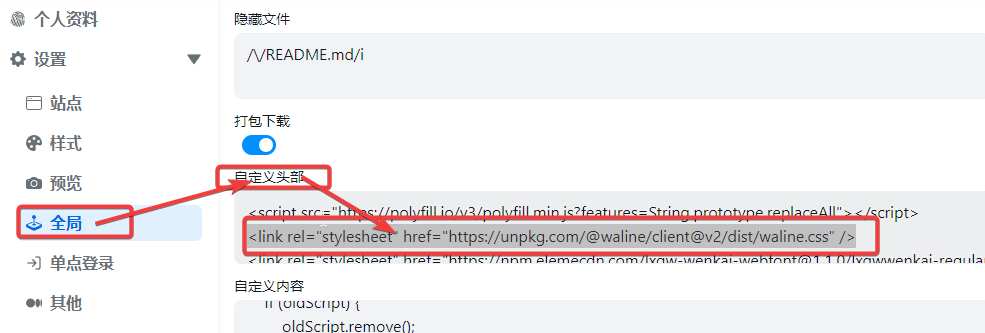
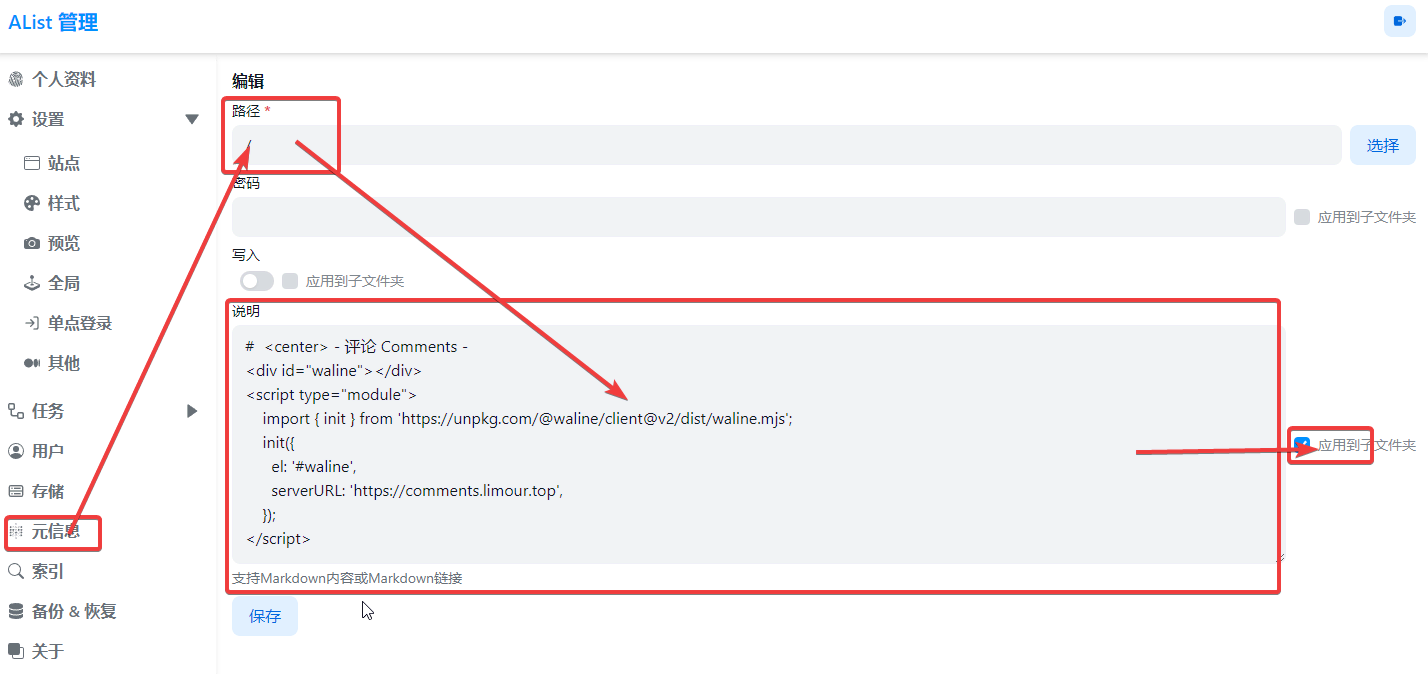
- AList 管理-元信息 中引入 Waline 客户端
1
2
3
4
5
6
7
8
9
10
| # <center> - 评论 Comments -
<div id="waline"></div>
<script type="module">
import { init } from 'https://unpkg.com/@waline/client@v2/dist/waline.mjs';
init({
el: '#waline',
serverURL: 'https://comments.limour.top',
pageSize: 3,
});
</script>
|
Waline 邮件异步推送
Waline 邮件异步推送 by 星辰日记
1
2
3
4
5
6
7
8
| mkdir -p ~/app/mailpush && cd ~/app/mailpush && nano docker-compose.yml
git clone --depth=1 https://github.com/soxft/waline-async-mail.git
cd waline-async-mail
nano config.example.yaml
nano templates/guest.html && nano templates/owner.html
docker build -t xsot/waline-async-mail . && docker image prune
cd ~/app/mailpush
sudo docker-compose up -d
|
1
2
3
4
5
6
7
8
9
10
11
12
| version: "3"
services:
waline-async-mail:
image: xsot/waline-async-mail:latest
volumes:
- ./waline-async-mail/config.example.yaml:/app/config.yaml
restart: always
networks:
default:
external: true
name: ngpm
|
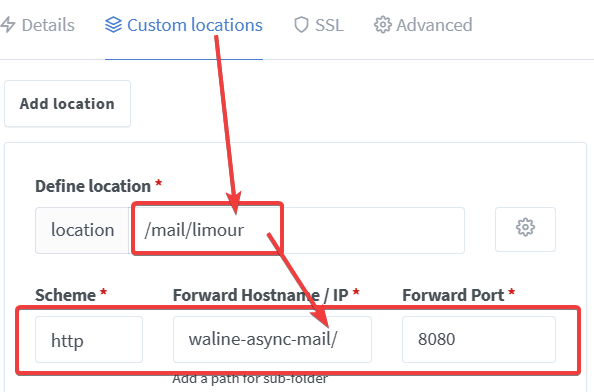
- 在环境变量中添加
WEBHOOK, 值为 https://api.limour.top/mail/limour - 在 Deployments 里,重新部署
- WEBHOOK说明
附加 Waline 换 MongoDB
- MongoDB 官网 新建免费的 M0 数据库,地区选新加坡,放行
0.0.0.0/0 - Vercel 上的 Waline 项目,Settings/Functions 里更改 Region 到新加坡
- MongoDB 连接里记录下连接信息,选项如下
- 选择 Drivers 作为连接方式,Driver 为 Node.js,Version为
2.2.12 or later - 进入 Waline 管理后台,导出数据
- Vercel 里删除 LEAN 相关的环境变量,按 说明 添加 MongoDB 的连接信息
- Vercel/Deployments 里选择合适的分支,点旁边的三个点,选择 Redeploy
- 进入 Waline 管理后台,重新注册后,导入数据
【记录】搭建Waline评论系统
https://hexo.limour.top/build-waline-comment-system